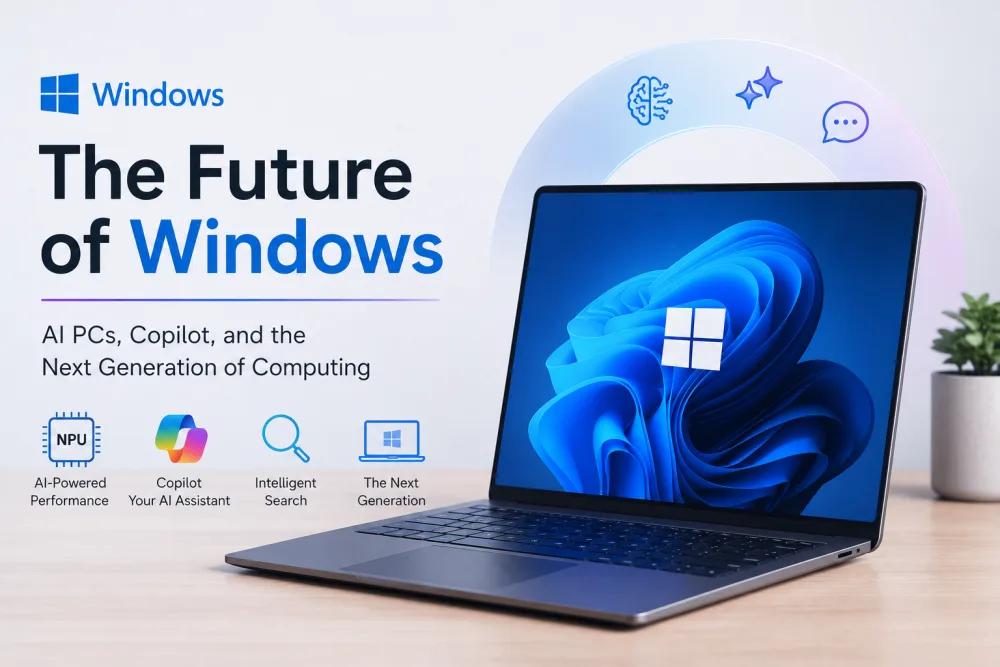
Explore Windows 11 AI features in 2026, including Microsoft Copilot, AI agents, smarter search, local AI models, and security improvements.
Microsoft is expanding the role of artificial intelligence in Windows, introducing new capabilities designed to make personal computers more intelligent, productive and secure.
On October 7, 2026, Microsoft presented its vision for Windows as a platform for hybrid intelligence, combining AI models running directly on devices with powerful cloud-based services.
Developments include news regarding Microsoft Copilot, AI agents, security features of Windows, better search experience, and even AI-based hardware.
This marks a significant paradigm shift in personal computing as, until now, users have been employing AI solely via Web applications or standalone programs.
According to Microsoft’s official announcement, the company wants Windows to support AI workloads across local devices and cloud environments while maintaining security and administrative control.
Here is what users and businesses should know about the latest “Windows 11 AI features in 2026″.
What Is Microsoft’s Hybrid Intelligence Strategy?
Hybrid intelligence is an approach that combines local AI processing with cloud-based artificial intelligence.
Typically, most of the sophisticated AI-based systems send data to distant servers to perform computations.
However, such a process makes use of powerful computing capabilities but can make the system prone to network dependency issues, among others.
Locally processing AI computations enables the use of supported models locally on a computer.
This could come in handy when performing some of the processes which need faster processing or less network dependency.
Microsoft’s hybrid approach aims to use the most appropriate computing environment for each workload.
Some activities may run locally, while more demanding tasks may rely on cloud services.
The objective is to balance performance, cost, privacy and capability.
Key Windows 11 AI Features Announced in 2026
1. More Capable Microsoft Copilot
Microsoft Copilot is central to the company’s AI strategy.
The latest announcements describe plans for Copilot to use more contextual information from supported Windows environments and perform actions on behalf of users.
For instance, such future experiences could help users find appropriate information or learn about past actions as well as coordinate tasks with the help of apps.
This will be a step toward providing contextual support.
The point is that AI will not have to answer questions without knowledge about the user’s workflow; instead, it will be able to get relevant information from the computer’s environment.
It all depends on how developed this technology will be and whether users will give permission to use it.
Not every announced feature is immediately available on every Windows 11 computer.
2. Local AI Models
Microsoft is investing in infrastructure that allows supported AI models to run directly on Windows devices.
Local processing can reduce the need to send every request to a cloud service.
For instance, specific language processing or content assistance functions can also be performed using existing computing capabilities of the device.
Local models’ performance depends on the computer’s hardware, its capacity, and software support.
Computers equipped with adequate hardware like processors, graphics power, and memory capacity can be used for more complex AI applications.
Microsoft is also working with hardware vendors to increase the range of devices that can run these experiences.
3. AI Agents on Windows
Another important development is support for AI agents.
AI agents are different from the usual chatbots since they can utilize tools and execute actions for an assigned task.
The agent, for instance, is capable of arranging data, interfacing with software programs, or even doing repetitive tasks.
Microsoft’s plan to have a Windows environment where the agents can run under certain security and management policies.
This approach could make AI more deeply integrated into everyday computing.
Readers interested in the underlying technology can explore what agentic AI is and how autonomous agents work.
4. Microsoft Execution Containers
Security is one of the biggest challenges associated with autonomous AI agents.
An agent that is able to interact with files and applications can pose some security issues if it is granted too much access.
In order to solve this issue, Microsoft developed Microsoft Execution Containers, known as MXC, for its agent infrastructure in Windows.
Microsoft announced general availability of these containers in October 2026.
This technology creates isolated execution environments aimed at controlling the agents’ activities.
According to Microsoft’s developer announcement, these controls help organizations apply policies and limit access to resources.
Isolation is not a guarantee that every agent will behave correctly, but it can reduce exposure to certain security risks.
5. Improvements to Windows Search
Microsoft also highlighted new Windows Search experiences.
Search is moving from being a utility that only finds files and applications into a mechanism that can assist people in performing an action.
Better search capabilities can make it possible for a person to proceed straight from the stage of searching to the next action.
This will decrease the steps involved in performing simple tasks.
However, exact functionality depends on the specific Windows version and feature rollout.
6. New AI-Powered PCs
Microsoft’s announcement also included new hardware designed for advanced AI workloads.
The company highlighted Surface devices and partnerships involving NVIDIA.
These platforms are developed in such a way as to provide increased computer power for local AI calculations and agent-based simulations.
High-performance AI hardware could prove to be very useful for those who develop and work with large models.
It is necessary to note that users will not have to purchase any additional hardware to utilize all the capabilities of AI.
The cloud technology and current Windows support could keep working on various devices.
How Could Windows AI Improve Productivity?
AI-powered operating systems could change how employees interact with everyday software.
Document Management
Users may be able to locate relevant files more easily and receive assistance organizing information.
Research and Analysis
AI assistants could help summarize information, explain technical concepts and support research workflows.
Software Development
Developers may benefit from integrated coding assistance, local model execution and agent-based development tools.
Administrative Tasks
Organizations could use authorized AI agents to assist with repetitive activities involving supported applications.
Business Reporting
Employees may use AI tools to interpret data, organize findings and prepare draft reports.
These applications are promising, but productivity gains depend on the quality of implementation and the suitability of each workflow.
Windows 11 AI vs Traditional Windows Features
| Area | Traditional Windows Experience | Emerging AI-Powered Experience |
|---|---|---|
| Search | Find files and applications | Contextual discovery and supported actions |
| Assistance | Manual navigation and help tools | Conversational and contextual AI |
| Automation | Scripts and predefined workflows | Agent-assisted task execution |
| Computing | Conventional application processing | Local and cloud AI workloads |
| Security | Application permissions and isolation | Additional agent-specific controls |
| Hardware | General-purpose computing | Increasing support for AI accelerators |
These changes represent Microsoft’s broader platform direction. Availability varies by product and device.
Privacy and Security Considerations
Integrating AI more deeply into an operating system introduces important privacy questions.
The users need to be aware of the information that the AI assistant is capable of accessing and where the processing takes place, i.e., on the device or in the cloud.
Companies should develop clear policies regarding their sensitive information.
The IT administrators require the tools that allow monitoring permissions, reviewing the agents’ behavior, and limiting any excessive access.
Microsoft solves this issue partially with the help of its containerization technology.
For broader context, see NextAnalytics’ coverage of cybersecurity and technology trends.
Will Windows 11 AI Features Be Available on Every PC?
Not all AI capabilities will be available on every Windows device.
Certain features will rely on the architecture of the CPU, memory, graphics card, geographical availability, or software updates.
Other features may need a connection to the cloud or special subscriptions from Microsoft.
Consumers should refer to the official list of compatible features before buying new hardware or installing in their enterprise.
Microsoft’s Windows and Surface October 2026 announcement hub provides an overview of the latest developments.
The Future of AI-Powered Operating Systems
From Microsoft’s point of view, the operating system will become a platform of choice for intelligent applications and automated processes.
Instead of viewing artificial intelligence as something separate from the computer system, the future computing paradigm may see assistance integrated into searching and system operations.
It will improve accessibility and efficiency of computing.
However, reliability and control by the user will be important elements.
AI systems need to offer useful assistance without posing any significant security threats or complexities.
Conclusion
Microsoft’s October 2026 Windows announcements demonstrate the growing importance of hybrid intelligence.
With developments involving Copilot, local AI models, autonomous agents, execution containers and AI-powered hardware, Windows is evolving beyond its traditional role as a desktop operating system.
For consumers, these technologies could simplify everyday tasks.
For businesses, they may create opportunities to improve productivity and develop new workflows.
However, adoption should be guided by practical requirements, device compatibility and appropriate security controls.
The future of Windows will depend on how effectively Microsoft combines intelligent capabilities with performance, privacy and reliability.
Frequently Asked Questions (FAQs)
1. What are the new Windows 11 AI features in 2026?
Microsoft shared updates about intelligence, Copilot, local AI models, autonomous agents, better search and agent security controls.
2. What is intelligence in Windows?
Hybrid intelligence brings together local AI processing and cloud-based services letting supported tasks run in the best possible computing environment.
3. What are Microsoft Execution Containers?
Microsoft Execution Containers offer environments and policy controls meant to help control AI agent activity on Windows.
4. Do I need a computer, for Windows AI?
Not always. Some features operate through cloud services while stronger local AI features might need hardware.
5. Is Microsoft Copilot turning into an AI agent?
Microsoft is making Copilot able to use context and do supported actions,. Availability and what it can do change depending on the product.