Arc Browser shutdown explained. Learn when Arc stops working, how to save your bookmarks and passwords, and whether Dia is the right replacement.
Arc Browser has reached its official end point. The Browser Company declared on October 22, 2026, that the desktop browser would no longer function after December 22, bringing to an end a product that had caught everyone’s eye with its innovative approach to tabs, bookmarks, and browsing.
For current users, the announcement is not only about the renaming of the software. Those who use the software for business, study, research, and web surfing must transfer all their valuable data into another browser ahead of time. The company advises transferring to a new browser called Dia; however, other options are still there.
The Arc Browser shutdown means current users have until December 22 2026 to move their bookmarks, passwords browsing history and other important details. Knowing the closing schedule the tools that are available for moving data and the things that’re different between the new browsers can help users switch over without losing any important information.
Why Is Arc Browser Shutting Down?
According to The Browser Company, one of the primary justifications behind their choice is that it is crucial to ensure adequate security. Today’s web browsers need to be constantly updated to counter possible vulnerabilities, keep up with evolving web technologies, and retain compatibility with websites and add-ons.
The firm has opted to focus on developing Dia instead of continuing to support two different desktop browsers. While the development of features for Arc ceased earlier, people were still able to use the browser. This recent announcement has set a deadline for desktop use.
Here, the question arises about the problem in the software business in general: the product can be very popular among users and at the same time overly challenging for its developer to continue supporting along with other products.
What Made Arc Different?
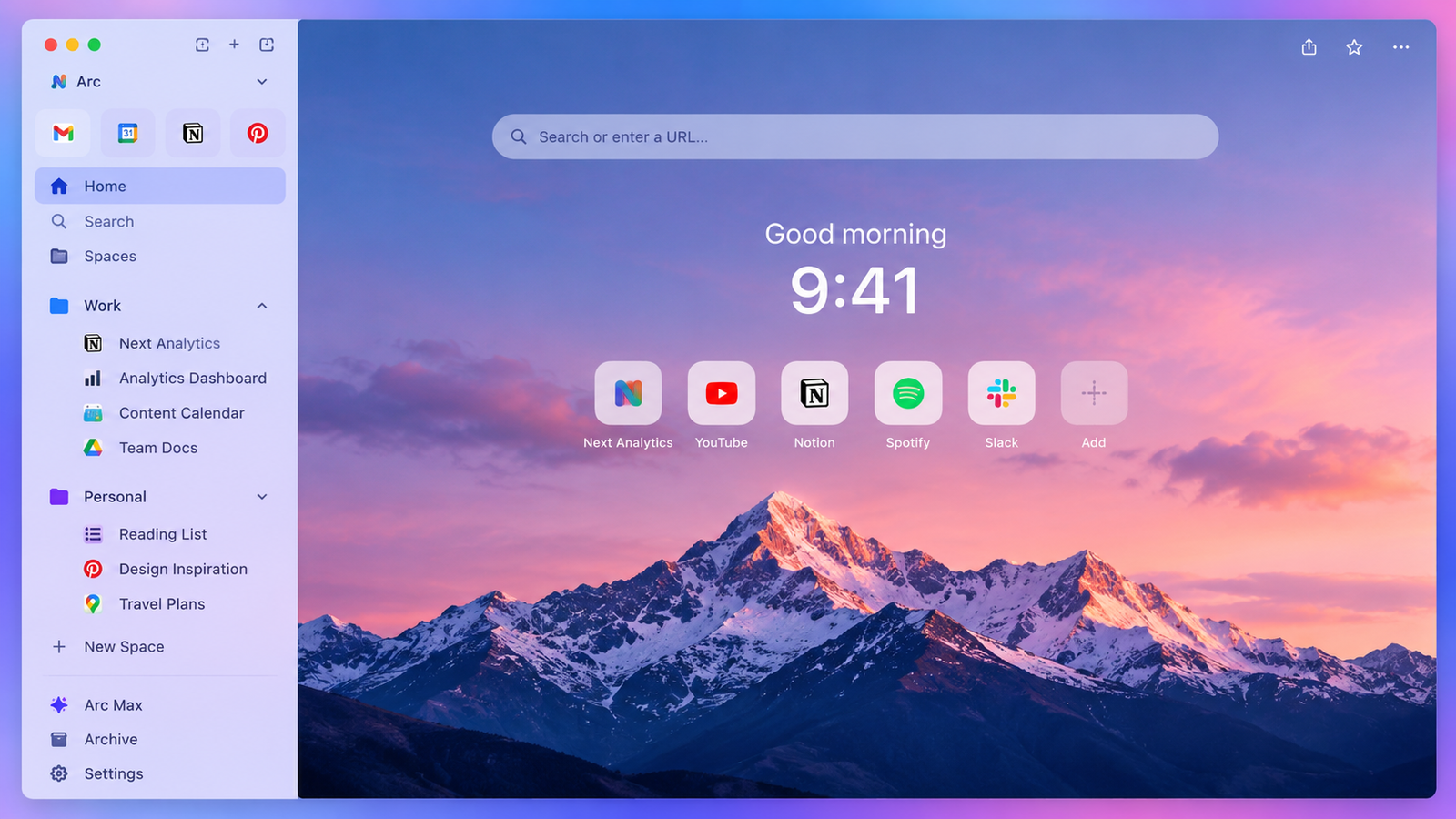
Arc introduced an alternative to the conventional browser layout. Instead of relying primarily on horizontal tabs, it placed greater emphasis on a sidebar, allowing users to organize websites into spaces and folders.
A student may create different sections for classes, research, and browsing purposes. A professional may store all emails, documents, and project-related applications in one place rather than having numerous tabs open at once.
These factors made Arc appealing to users who constantly switch between different tasks. Nonetheless, well-organized tabs cannot be a substitute for maintaining the security of the system, which is crucial for any browser that stores accounts and passwords.
When Will Arc Stop Working?
The company has established a phased transition. New account registration ended on October 22, while changes to Arc Search on mobile are scheduled for November 23. The desktop browser will become unusable on macOS and Windows on December 22.
After that, arc accounts will be disabled, and personal account data will be deleted in 30 days from the time. Therefore, it is better if users do not think that they could access their saved data months later.
Export and Migration Tools have been offered by the company to save their bookmarks, passwords, history, extensions, and tabs before the closure.
Users should read the Arc website for shutdown announcements and migration instructions before moving their data. Following the Arc company guidance helps users keep bookmarks, passwords and browsing data safe before the deadline.
What Is Dia Browser?
Dia is the newer browser developed by the same company. It retains familiar organizational features, including vertical tabs, profiles, pinned tabs, and grouped browsing sessions.
However, the firm notes that traditional browser capabilities do not cost anything and that AI capabilities are merely optional. This is important for individuals who prefer to have a traditional web browsing environment but without using any extra AI.
This product can be used on both Windows and Mac operating systems. For Arc users, information import can be done at the time of installation or afterward.
Users who are thinking about making the switch can go to the Dia browser website to check out its features see which devices are supported and look at the migration options available. Before switching, comparing Dia with browsers can help users find a replacement that works best with their daily routine.
How to Move Your Data Safely
The safest approach is to begin the migration while Arc is still functioning. Users should first identify important bookmarks, saved passwords, open tabs, and browser extensions.
Once a new browser is installed, one can utilize the provided import options to ensure that critical data was transferred successfully. It is important to pay special attention to business-related bookmarks, often utilized applications, and conducted research.
It is recommended that users create their own backup of all valuable links. Although the browser’s migration tool will help to complete the task, it must not be the sole approach for information protection.
Why Browser Security Matters
Browsers connect users to banking services, workplace systems, shopping platforms, and personal accounts. An outdated browser can expose users to security problems if vulnerabilities remain unpatched.
As discussed in our guide to cybersecurity trends in 2026, keeping software updated and protecting account credentials are important parts of digital security.
Due to this fact, the selection process for another browser should encompass not only the appearance but also the update schedule, add-ons support, password handling, and privacy options.
Should You Choose Dia or Another Browser?
Dia may appeal to existing Arc users who want a similar organizational experience. However, Chrome, Firefox, Edge, and Safari may also meet their needs, depending on their operating system and preferred features.
The best browser is not one size fits all. An individual concerned with the seamless interaction of their browser with Microsoft applications would probably choose to use Edge.
What matters is to test the substitute in advance of the shutdown and ensure the functioning of critical accounts, websites, and extensions.
Conclusion
The Arc shutdown is an important reminder that digital tools can change even when users depend on them. The Browser Company is moving its development resources to Dia, leaving existing Arc users with a limited period to prepare.
Rather than waiting until the deadline, users should export important information, test a replacement browser, and confirm that their essential websites and extensions work correctly. A careful transition can preserve the benefits of organized browsing while ensuring continued access to supported software.
Frequently Asked Questions
1. When will Arc Browser shut down?
Arc will stop working on macOS and Windows on December 22, 2026.
2. Will my bookmarks disappear?
Users should export or migrate their bookmarks before the shutdown because Arc account data is scheduled for deletion after deactivation.
3. Is Dia the official replacement?
Yes. The Browser Company is directing Arc users toward Dia, its newer browser.
4. Do I have to use Dia?
No. Users can select another supported browser that meets their requirements.
5. Will Arc Search still work on mobile?
The mobile experience is changing, with some features ending in November and further Android changes scheduled for December.